
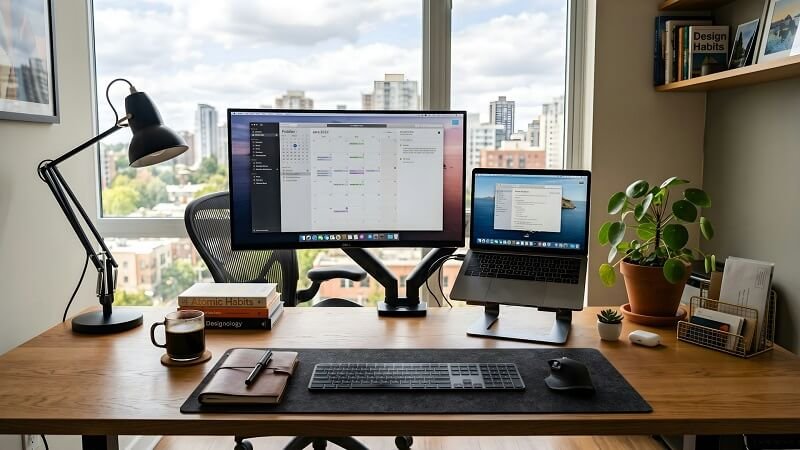
Standing Desk Pro or Touch can sound like a simple product comparison, but the better question is what kind of workday you want the desk to support. Both belong to Oakywood’s height-adjustable desk range, and both are designed around the same basic idea – giving you the freedom to move between sitting and standing without rebuilding your workspace every time. The choice becomes clearer when you stop looking for a universal winner and start looking at your own habits. How often do you change height, how much do you value fast adjustments, what kind of control panel feels natural, and how much room does your setup need to grow over time. Those questions matter more than choosing the model with the longest list of features.
Standing Desk Pro or Touch – start with your workday
Before comparing mechanisms, think about what actually happens between the first coffee and the moment you close the laptop. Some people change position several times an hour, move between focused desk work and calls, or share the same workstation with someone else. Others adjust the desk only a few times during a long day and care more about a simple interface than maximum responsiveness. Standing Desk Pro or Touch becomes easier to answer once those patterns are visible. Oakywood positions the Pro and Touch as two versions of the same general sit-stand desk concept, so the useful distinction is not whether one can support an adjustable routine and the other cannot. It is which version fits the pace, frequency, and style of adjustment you are likely to use naturally.
Think about how often you change height
A height-adjustable desk only earns its place when its main function becomes part of the day instead of something you try enthusiastically for a week and then ignore. If you tend to switch between sitting and standing often, small differences in responsiveness can feel more noticeable because you encounter them repeatedly. If your routine is slower and you usually settle into one position for a longer stretch, the experience of the controls may matter more than outright speed. A standing desk is not experienced as a chart. It is experienced through dozens of ordinary moments, and the model that makes those moments feel easy is usually the one that fits the user better.
Standing Desk Pro or Touch – control style matters
The control panel is one of the clearest everyday differences in the Standing Desk Pro or Touch decision. Oakywood pairs the Pro with a lever-style control system, while the Touch uses a touchscreen panel. That may sound like a small distinction, yet it changes the way the desk feels in regular use. Someone who prefers a quick physical gesture may naturally lean toward the Pro interface. Someone who likes a familiar touch-based interaction may find the Touch more intuitive. Neither approach needs to be treated as inherently superior. The better choice is the one you can imagine using without thinking about it. A standing desk works best when adjustment becomes almost automatic, not when the control system keeps reminding you that you are operating a piece of equipment.
A setup that should disappear into your routine
The most successful desk setup is often the one you stop noticing. The surface feels right, the tools are where you expect them, cables are not constantly being moved, and changing position does not interrupt the task. That is a useful principle when looking at Oakywood as a whole. Instead of choosing a standing desk first and forcing the rest of the workspace around it, picture the finished setup. Think about the monitor, laptop, notebook, charging habits, lighting, and the amount of open surface you need. The desk is the foundation, but it should not dominate every decision that follows. A calmer setup comes from choosing pieces that support the same routine rather than adding features simply because they are available.
Standing Desk Pro or Touch – when speed matters
For users who adjust frequently, the Pro’s faster movement can make the Standing Desk Pro or Touch choice feel more straightforward. The difference is not important because saving a few seconds is automatically valuable. It matters because repeated actions shape how likely we are to keep using a feature. When the transition feels immediate, it is easier to stand for a call, lower the desk for detailed writing, then change again later without turning the process into a pause. The Touch still supports the same sit-stand desk idea, but its character suits a user who may not need the quickest possible response every time. This is where choosing around behavior helps – speed matters most when it will actually be used, not when it simply looks impressive in a comparison table.
Build around the room, not the product
The standing desk should make sense in the room before it makes sense on a product page. Measure the available area, consider how far the chair needs to move, check where power comes from, and think about what stays visible when work is over. This is especially important in a home office that shares space with a bedroom, living room, or studio. Oakywood’s wooden surfaces help the adjustable desk read more like furniture and less like an isolated office machine, which can make either model easier to integrate into a domestic setting. It is about building a workspace that still feels comfortable when the screen goes dark and the workday is finished.
Standing Desk Pro or Touch – plan the whole setup
The Standing Desk Pro or Touch question should also include everything that will live around the desk. A larger monitor, laptop stand, desk shelf, charger, notebook, and cable solution all influence how the surface is used. Oakywood offers compatible workspace accessories, but it is usually better to add them according to a real need rather than trying to complete the setup in one purchase. Start with the standing desk and the tools used every day. Then notice what keeps causing friction. If cables repeatedly get in the way, solve that problem. If the screen position takes up too much useful depth, rethink that area. If small items keep drifting into the center, create a dedicated place for them. A setup becomes personal through these small corrections.
Leave room for accessories to earn their place
An organized standing desk does not need an accessory for every object. In fact, leaving some surface open can make the entire workstation feel easier to use. The best additions are usually the ones that solve a recurring problem so quietly that, after a while, they barely register. This is especially relevant with an adjustable desk because anything added to the setup should work well in both sitting and standing positions. A cable solution should not become awkward when the desk rises. A shelf should support the screen arrangement without consuming the space needed for writing. A charging spot should stay useful regardless of height. Thinking this way creates a setup that feels coherent rather than assembled from unrelated parts.
Standing Desk Pro or Touch – choose the desk you will actually use
There is no useful answer to Standing Desk Pro or Touch that ignores the person sitting or standing behind it. The Pro may make more sense for someone who values faster adjustment, a wider working range, and a lever-style interface. The Touch may appeal to someone who prefers its touchscreen control and does not need the Pro’s more performance-focused character. Both are part of Oakywood’s adjustable desk system and can become the center of a thoughtful home office. The better decision comes from matching the standing desk to your habits, not from trying to identify a model that is universally superior. Picture an ordinary Tuesday rather than the first day after delivery. The desk that still feels natural in that ordinary routine is the one most likely to become a lasting part of your workspace. See more: https://oakywood.shop/collections/standing-desks.